
What's inside the proposal tracker
- Proposal Planner
- Proposal Tracker
- Deadline Calendar
- Content Library
- Win Rate
- Notes
See every page
All 10 pages of the US Letter version, exactly as they print. Tap a page to see it larger.
- 1. Cover
- 2. This Tracker Belongs To
- 3. Contents
- 4. Proposal Planner
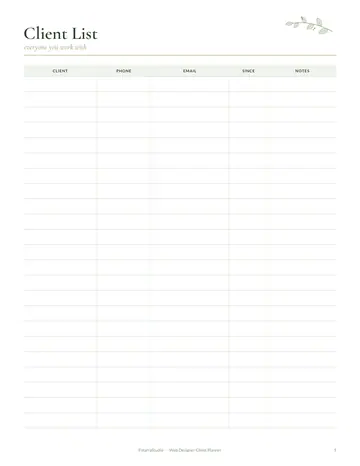
- 5. Proposal Tracker
- 6. Deadline Calendar
- 7. Content Library
- 8. Win Rate
- 9. Notes
- 10. Thank you page
Who this proposal tracker is for
This tracker is for freelancers, agencies, consultants and contractors who write proposals and bids to win work. It suits people sending a few proposals a month and teams responding to formal requests. Tracking every proposal shows your win rate and helps you improve. It also helps small nonprofits and teams who respond to requests for proposals and need to share work among several people. A library of tested sections saves hours on every new bid.
How to use your proposal tracker
Plan each proposal on the planner page. Record it on the tracker with client, value and status. Mark deadlines. Save strong sections in the library to reuse. Record results and reasons for wins and losses. Follow up a week after each submission and note the response. Review results each quarter to see which types of projects, clients and prices you win most often, and focus your effort there.
Formats included
A4 PDF
For printing in most of the world (210 × 297 mm).
US Letter PDF
For printing in the US and Canada (8.5 × 11 in).
Digital PDF
Hyperlinked tabs for tablets and PDF annotation apps.
Ready to start?
Free downloadProposal Tracker questions
Can I reuse proposal sections?
Yes. Use the library page. Other pages in the 10-page proposal tracker include "Proposal Planner", "Proposal Tracker" and "Deadline Calendar", so related notes stay together. Print the A4 or US Letter PDF as often as you need, or write in the digital version on a tablet.
Can I see my win rate?
Yes. Use the results page. Look for the "Win Rate" page in the 10-page proposal tracker. Download it free, print only the pages you need and add more copies of any page later. Print the A4 or US Letter PDF as often as you need, or write in the digital version on a tablet.
Is there a deadline page?
Yes. Look for the "Deadline Calendar" page in the 10-page proposal tracker. Every page is undated, so you can start any day and reprint a page whenever it fills up. Download it free, print only the pages you need and add more copies of any page later.
Is the Proposal Tracker really free?
Yes, the Proposal Tracker is completely free for personal use. Download the 10-page PDF without an account or email address, print it at home as often as you like and share the page link with friends. Matching bundles on our Etsy shop are optional and paid; this single planner stays free.
What size is the Proposal Tracker?
The Proposal Tracker comes in A4 (210 x 297 mm) and US Letter (8.5 x 11 inches), plus a hyperlinked digital PDF for tablets. Choose the file that matches the paper in your printer and print at Actual size or 100%, so nothing is cut off. Both paper sizes have the same 10 pages.