What's inside the teacher planner
- Year at a Glance
- Class List
- Weekly Lesson Planner
- Lesson Plan
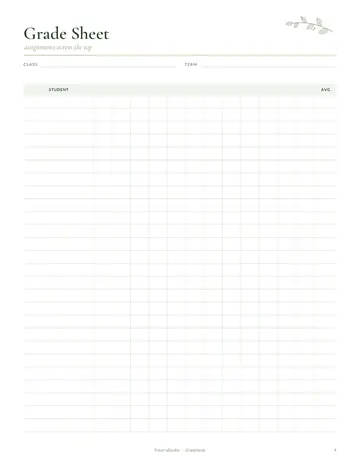
- Gradebook
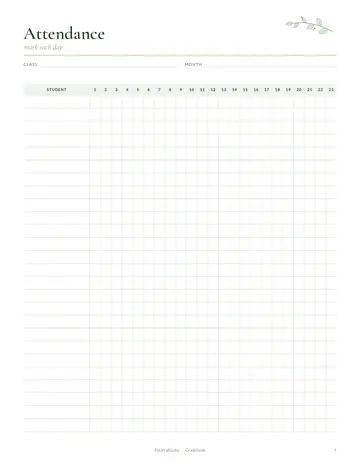
- Attendance
- Seating Chart
- Parent Contact Log
- Student Birthdays
- Substitute Teacher Info
- Meeting Notes
- To-Do List
- Notes
See every page
All 17 pages of the US Letter version, exactly as they print. Tap a page to see it larger.
- 1. Cover
- 2. This Planner Belongs To
- 3. Contents
- 4. Year at a Glance
- 5. Class List
- 6. Weekly Lesson Planner
- 7. Lesson Plan
- 8. Gradebook
- 9. Attendance
- 10. Seating Chart
- 11. Parent Contact Log
- 12. Student Birthdays
- 13. Substitute Teacher Info
- 14. Meeting Notes
- 15. To-Do List
- 16. Notes
- 17. Thank you page
Who this teacher planner is for
This planner is made for classroom teachers who want one calm place for the whole school year. It suits new teachers setting up their first class, experienced teachers who are tired of loose sticky notes, and homeroom or subject teachers who juggle several groups. Substitutes and teaching assistants will find the sub info and class list pages handy too.
How to use your teacher planner
Start with the year at a glance and mark term dates, holidays and big events. Fill in the class list and seating chart in the first week, then keep the gradebook and attendance pages close at hand. Each Sunday, sketch the week on the weekly lesson planner and add detail on the daily lesson plan pages. Log every call or email with families on the parent contact log, and keep the substitute page updated so a cover teacher can step in easily.
Formats included
A4 PDF
For printing in most of the world (210 × 297 mm).
US Letter PDF
For printing in the US and Canada (8.5 × 11 in).
Digital PDF
Hyperlinked tabs for tablets and PDF annotation apps.
Ready to start?
Free downloadTeacher Planner questions
Is this teacher planner dated?
No. Every page is undated, so you can start in August, January or any month and reuse it next school year. Other pages in the 17-page teacher planner include "Year at a Glance", "Class List" and "Weekly Lesson Planner", so related notes stay together.
Can I print only the pages I need?
Yes. Print the gradebook, attendance or lesson plan pages as many times as you like. Most teachers print extra weekly lesson pages. Other pages in the 17-page teacher planner include "Year at a Glance", "Class List" and "Weekly Lesson Planner", so related notes stay together.
Does it work for more than one class?
Yes. Print a class list, gradebook and seating chart for each group and keep them together in a binder with tab dividers. Look for the "Class List" page in the 17-page teacher planner. Download it free, print only the pages you need and add more copies of any page later.
Is the Teacher Planner really free?
Yes, the Teacher Planner is completely free for personal use. Download the 17-page PDF without an account or email address, print it at home as often as you like and share the page link with friends. FolarraStudio is free to use. In the future, a few clearly labeled ads may help keep it free.
What size is the Teacher Planner?
The Teacher Planner comes in A4 (210 x 297 mm) and US Letter (8.5 x 11 inches), plus a hyperlinked digital PDF for tablets. Choose the file that matches the paper in your printer and print at Actual size or 100%, so nothing is cut off. Both paper sizes have the same 17 pages.