What's inside the short-term rental host planner
- Booking Request Form
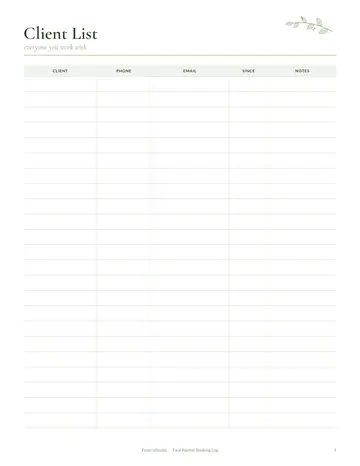
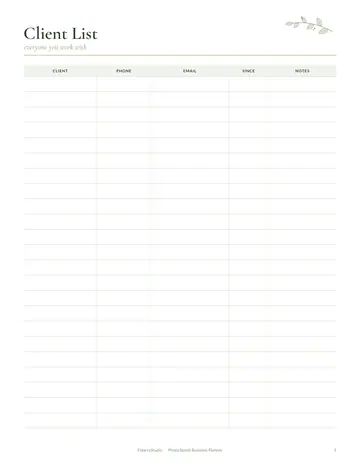
- Client List
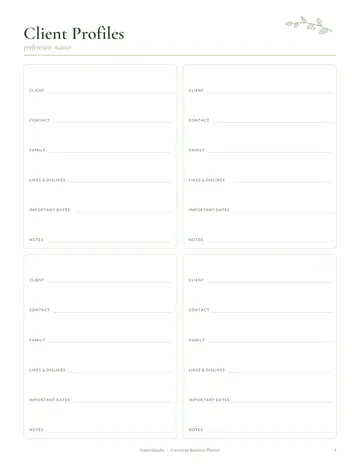
- Guest Profiles
- Booking Log
- Services & Prices
- Weekly Schedule
- Turnover Checklist
- Supply Restock
- Occupancy Calendar
- Maintenance Log
- Invoice Tracker
- Income & Expenses
- Yearly Overview
- Notes
See every page
All 18 pages of the US Letter version, exactly as they print. Tap a page to see it larger.
- 1. Cover
- 2. This Planner Belongs To
- 3. Contents
- 4. Booking Request Form
- 5. Client List
- 6. Guest Profiles
- 7. Booking Log
- 8. Services & Prices
- 9. Weekly Schedule
- 10. Turnover Checklist
- 11. Supply Restock
- 12. Occupancy Calendar
- 13. Maintenance Log
- 14. Invoice Tracker
- 15. Income & Expenses
- 16. Yearly Overview
- 17. Notes
- 18. Thank you page
Who this short-term rental host planner is for
This planner is for vacation rental hosts and short-term rental owners managing one property or several. It suits new hosts preparing their first listing, co-hosts who manage homes for owners, and experienced hosts who want smoother turnovers and better records. Great reviews depend on spotless cleans, fast replies and nothing ever running out, and that takes simple, reliable systems behind the scenes.
How to use your short-term rental host planner
Use the booking request form for direct bookings and keep repeat guests on guest profiles. Log every stay on the booking log and mark nights on the occupancy calendar. Set your rates and fees on the services and prices page. Plan cleans on the weekly schedule and follow the turnover checklist after every checkout. Restock toiletries and supplies before they run low. Record repairs in the maintenance log, track invoices, record income and expenses and review the year.
Formats included
A4 PDF
For printing in most of the world (210 × 297 mm).
US Letter PDF
For printing in the US and Canada (8.5 × 11 in).
Digital PDF
Hyperlinked tabs for tablets and PDF annotation apps.
Ready to start?
Free downloadShort-Term Rental Host Planner questions
Is there a turnover checklist?
Yes. Use it after every guest checks out. Look for the "Turnover Checklist" page in the 18-page short-term rental host planner. Every page is undated, so you can start any day and reprint a page whenever it fills up. Download it free, print only the pages you need and add more copies of any page later.
Can I track occupancy?
Yes. There is an occupancy calendar. Look for the "Occupancy Calendar" page in the 18-page short-term rental host planner. Print the A4 or US Letter PDF as often as you need, or write in the digital version on a tablet.
Does it work for several properties?
Yes. Print a set for each property. Other pages in the 18-page short-term rental host planner include "Booking Request Form", "Client List" and "Guest Profiles", so related notes stay together. Download it free, print only the pages you need and add more copies of any page later.
Is the Short-Term Rental Host Planner really free?
Yes, the Short-Term Rental Host Planner is completely free for personal use. Download the 18-page PDF without an account or email address, print it at home as often as you like and share the page link with friends. FolarraStudio is free to use. In the future, a few clearly labeled ads may help keep it free.
What size is the Short-Term Rental Host Planner?
The Short-Term Rental Host Planner comes in A4 (210 x 297 mm) and US Letter (8.5 x 11 inches), plus a hyperlinked digital PDF for tablets. Choose the file that matches the paper in your printer and print at Actual size or 100%, so nothing is cut off. Both paper sizes have the same 18 pages.