What's inside the laser engraving business log
- Laser Settings Chart
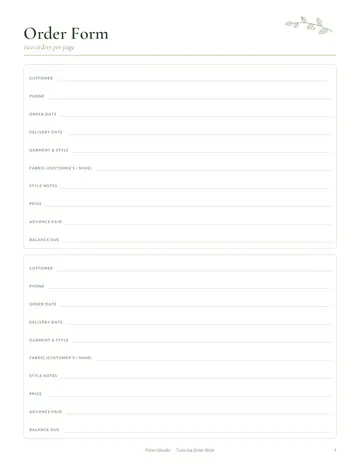
- Custom Order Form
- Order Log
- Material Stock
- Machine Maintenance
- Product Ideas
- Income & Expenses
- Notes
See every page
All 12 pages of the US Letter version, exactly as they print. Tap a page to see it larger.
- 1. Cover
- 2. This Log Belongs To
- 3. Contents
- 4. Laser Settings Chart
- 5. Custom Order Form
- 6. Order Log
- 7. Material Stock
- 8. Machine Maintenance
- 9. Product Ideas
- 10. Income & Expenses
- 11. Notes
- 12. Thank you page
Who this laser engraving business log is for
This log is for laser engraving and cutting businesses creating personalized gifts, signs, awards and products from wood, acrylic, leather, glass and metal. It suits hobbyists making their first sales and growing small businesses. Every material needs its own power, speed and focus settings, and recording what works saves wasted stock. It also helps makers who sell at craft fairs and online and need to keep up with personalized orders during busy holiday seasons.
How to use your laser engraving business log
Record tested settings for each material. Take orders on the order form and log them with deadlines. Track materials. Log machine maintenance such as lens cleaning. Collect product ideas and record income and expenses. Run a small test on scrap before every new material and note the result. Clean lenses and mirrors on a regular schedule, and review income and expenses monthly to see which products earn the most for your machine time.
Formats included
A4 PDF
For printing in most of the world (210 × 297 mm).
US Letter PDF
For printing in the US and Canada (8.5 × 11 in).
Digital PDF
Hyperlinked tabs for tablets and PDF annotation apps.
Ready to start?
Free downloadLaser Engraving Business Log questions
Can I record laser settings?
Yes. Look for the "Laser Settings Chart" page in the 12-page laser engraving business log. Print the A4 or US Letter PDF as often as you need, or write in the digital version on a tablet. Every page is undated, so you can start any day and reprint a page whenever it fills up.
Is there a maintenance log?
Yes. Look for the "Machine Maintenance" page in the 12-page laser engraving business log. Print the A4 or US Letter PDF as often as you need, or write in the digital version on a tablet. Every page is undated, so you can start any day and reprint a page whenever it fills up.
Can I track product ideas?
Yes. Look for the "Product Ideas" page in the 12-page laser engraving business log. Every page is undated, so you can start any day and reprint a page whenever it fills up. Download it free, print only the pages you need and add more copies of any page later.
Is the Laser Engraving Business Log really free?
Yes, the Laser Engraving Business Log is completely free for personal use. Download the 12-page PDF without an account or email address, print it at home as often as you like and share the page link with friends. FolarraStudio is free to use. In the future, a few clearly labeled ads may help keep it free.
What size is the Laser Engraving Business Log?
The Laser Engraving Business Log comes in A4 (210 x 297 mm) and US Letter (8.5 x 11 inches), plus a hyperlinked digital PDF for tablets. Choose the file that matches the paper in your printer and print at Actual size or 100%, so nothing is cut off. Both paper sizes have the same 12 pages.