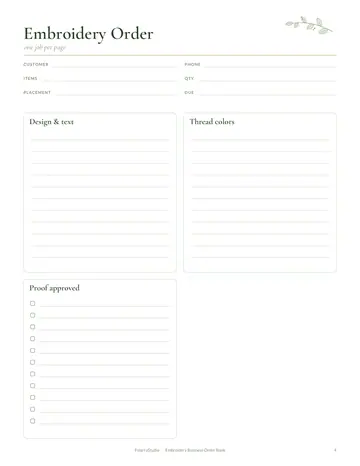
What's inside the print shop order log
- Print Job Ticket
- Job Log
- Proof Tracker
- Price Sheet
- Paper & Ink Stock
- Invoice Tracker
- Notes
See every page
All 11 pages of the US Letter version, exactly as they print. Tap a page to see it larger.
- 1. Cover
- 2. This Log Belongs To
- 3. Contents
- 4. Print Job Ticket
- 5. Job Log
- 6. Proof Tracker
- 7. Price Sheet
- 8. Paper & Ink Stock
- 9. Invoice Tracker
- 10. Notes
- 11. Thank you page
Who this print shop order log is for
This log is for print shops and copy centers producing flyers, cards, banners and documents. It suits small print shops, home-based printers and in-house print rooms at schools and offices. Printing jobs depend on exact quantities, paper, finishes and deadlines, and an approved proof is the best protection against expensive reprints. Clear job tickets keep every order moving from file to finished product.
How to use your print shop order log
Fill in job tickets, log orders, track proofs, set prices, manage stock and track invoices. Fill in a job ticket for each order with quantity, size, paper, color and finishing, and add it to the order log with the due date. Send proofs and record the date each one was approved. Keep your standard prices on the price sheet so quotes are quick and consistent. Track paper, toner and ink on the stock page and reorder before busy seasons. Record invoices and payments, and review the order log monthly to see which products sell best.
Formats included
A4 PDF
For printing in most of the world (210 × 297 mm).
US Letter PDF
For printing in the US and Canada (8.5 × 11 in).
Digital PDF
Hyperlinked tabs for tablets and PDF annotation apps.
Ready to start?
Free downloadPrint Shop Order Log questions
Can I track proofs?
Yes. Look for the "Proof Tracker" page in the 11-page print shop order log. Every page is undated, so you can start any day and reprint a page whenever it fills up. Download it free, print only the pages you need and add more copies of any page later.
Is there a price sheet?
Yes. Look for the "Price Sheet" page in the 11-page print shop order log. Every page is undated, so you can start any day and reprint a page whenever it fills up. Download it free, print only the pages you need and add more copies of any page later.
Does it track paper stock?
Yes. Look for the "Paper & Ink Stock" page in the 11-page print shop order log. Every page is undated, so you can start any day and reprint a page whenever it fills up. Download it free, print only the pages you need and add more copies of any page later.
Is the Print Shop Order Log really free?
Yes, the Print Shop Order Log is completely free for personal use. Download the 11-page PDF without an account or email address, print it at home as often as you like and share the page link with friends. FolarraStudio is free to use. In the future, a few clearly labeled ads may help keep it free.
What size is the Print Shop Order Log?
The Print Shop Order Log comes in A4 (210 x 297 mm) and US Letter (8.5 x 11 inches), plus a hyperlinked digital PDF for tablets. Choose the file that matches the paper in your printer and print at Actual size or 100%, so nothing is cut off. Both paper sizes have the same 11 pages.