What's inside the security system installer job log
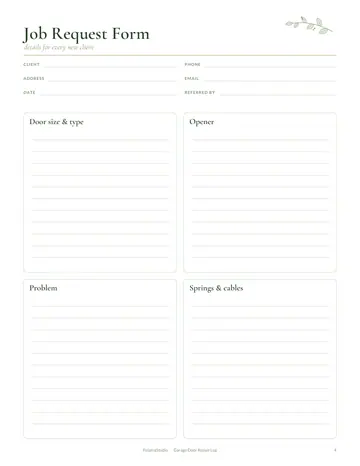
- Job Request Form
- Client List
- Client Profiles
- Job Log
- Services & Prices
- Weekly Schedule
- Quote Form
- Job Sheet
- Equipment
- Mileage Log
- Device Map
- Warranty Log
- Zone & Sensor List
- Camera Placement
- Handover Checklist
- Invoice Tracker
- Income & Expenses
- Yearly Overview
- Notes
See every page
All 23 pages of the US Letter version, exactly as they print. Tap a page to see it larger.
- 1. Cover
- 2. This Planner Belongs To
- 3. Contents
- 4. Job Request Form
- 5. Client List
- 6. Client Profiles
- 7. Job Log
- 8. Services & Prices
- 9. Weekly Schedule
- 10. Quote Form
- 11. Job Sheet
- 12. Equipment
- 13. Mileage Log
- 14. Device Map
- 15. Warranty Log
- 16. Zone & Sensor List
- 17. Camera Placement
- 18. Handover Checklist
- 19. Invoice Tracker
- 20. Income & Expenses
- 21. Yearly Overview
- 22. Notes
- 23. Thank you page
Who this security system installer job log is for
This log is for security system installers fitting alarms, cameras, smart locks and access control for homes and businesses. It suits independent installers and small security companies. Customers need to know where every device is and how their system works, and installers need clear records for service calls and warranties. It also suits electricians and smart home installers who add security work to their services.
How to use your security system installer job log
Take each request on the job request form and keep client profiles. Log jobs and set prices. Plan the week. Survey the property and quote the system. Fill in a job sheet with equipment installed. Mark every camera, sensor and panel on the device map. Track equipment stock, mileage, warranties, invoices and income. Give each customer a copy of their device map and a short how-to note for arming the system and viewing cameras.
Formats included
A4 PDF
For printing in most of the world (210 × 297 mm).
US Letter PDF
For printing in the US and Canada (8.5 × 11 in).
Digital PDF
Hyperlinked tabs for tablets and PDF annotation apps.
Ready to start?
Free downloadSecurity System Installer Job Log questions
Can I map devices?
Yes. Use the device map. Look for the "Device Map" page in the 23-page security system installer job log. Every page is undated, so you can start any day and reprint a page whenever it fills up. Download it free, print only the pages you need and add more copies of any page later.
Is there a warranty log?
Yes. Look for the "Warranty Log" page in the 23-page security system installer job log. Print the A4 or US Letter PDF as often as you need, or write in the digital version on a tablet. Every page is undated, so you can start any day and reprint a page whenever it fills up.
Does it track equipment stock?
Yes. Look for the "Equipment" page in the 23-page security system installer job log. Download it free, print only the pages you need and add more copies of any page later. Print the A4 or US Letter PDF as often as you need, or write in the digital version on a tablet.
Is the Security System Installer Job Log really free?
Yes, the Security System Installer Job Log is completely free for personal use. Download the 23-page PDF without an account or email address, print it at home as often as you like and share the page link with friends. FolarraStudio is free to use. In the future, a few clearly labeled ads may help keep it free.
What size is the Security System Installer Job Log?
The Security System Installer Job Log comes in A4 (210 x 297 mm) and US Letter (8.5 x 11 inches), plus a hyperlinked digital PDF for tablets. Choose the file that matches the paper in your printer and print at Actual size or 100%, so nothing is cut off. Both paper sizes have the same 23 pages.