What's inside the app developer project planner
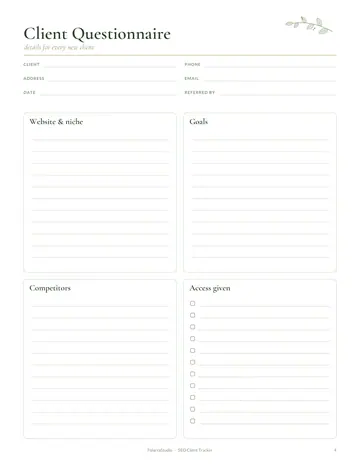
- Client Questionnaire
- Client List
- Client Profiles
- Project Log
- Services & Prices
- Project Brief
- Time Tracker
- Pitch & Leads Tracker
- Feature Backlog
- Bug Tracker
- Screen Wireframes
- Invoice Tracker
- Income & Expenses
- Yearly Overview
- Notes
See every page
All 19 pages of the US Letter version, exactly as they print. Tap a page to see it larger.
- 1. Cover
- 2. This Planner Belongs To
- 3. Contents
- 4. Client Questionnaire
- 5. Client List
- 6. Client Profiles
- 7. Project Log
- 8. Services & Prices
- 9. Project Brief
- 10. Time Tracker
- 11. Pitch & Leads Tracker
- 12. Feature Backlog
- 13. Bug Tracker
- 14. Screen Wireframes
- 15. Invoice Tracker
- 16. Income & Expenses
- 17. Yearly Overview
- 18. Notes
- 19. Thank you page
Who this app developer project planner is for
This planner is for freelance app developers and small development studios managing client projects. It suits developers taking their first clients and experienced builders juggling several apps at once. It covers the business side, such as pitches and invoices, as well as features, bugs and wireframes. It also helps developers who want clearer scope agreements, so projects do not grow without extra pay.
How to use your app developer project planner
Send new clients the questionnaire and save answers on their client profile. Write a project brief and log progress on the project log. Track time for accurate billing. List features and track bugs as they are found and fixed. Sketch screens on the wireframe pages. Record pitches, invoices, income and expenses, and review your year on the yearly overview. Review the yearly overview each quarter to see which types of projects pay best.
Formats included
A4 PDF
For printing in most of the world (210 × 297 mm).
US Letter PDF
For printing in the US and Canada (8.5 × 11 in).
Digital PDF
Hyperlinked tabs for tablets and PDF annotation apps.
Ready to start?
Free downloadApp Developer Project Planner questions
Does it include wireframe pages?
Yes. Other pages in the 19-page app developer project planner include "Client Questionnaire", "Client List" and "Client Profiles", so related notes stay together. Print the A4 or US Letter PDF as often as you need, or write in the digital version on a tablet.
Can I track bugs?
Yes. There is a bug tracking page. Look for the "Bug Tracker" page in the 19-page app developer project planner. Print the A4 or US Letter PDF as often as you need, or write in the digital version on a tablet.
Does it handle invoices?
Yes. There is an invoice tracker. Other pages in the 19-page app developer project planner include "Client Questionnaire", "Client List" and "Client Profiles", so related notes stay together. Every page is undated, so you can start any day and reprint a page whenever it fills up.
Is the App Developer Project Planner really free?
Yes, the App Developer Project Planner is completely free for personal use. Download the 19-page PDF without an account or email address, print it at home as often as you like and share the page link with friends. FolarraStudio is free to use. In the future, a few clearly labeled ads may help keep it free.
What size is the App Developer Project Planner?
The App Developer Project Planner comes in A4 (210 x 297 mm) and US Letter (8.5 x 11 inches), plus a hyperlinked digital PDF for tablets. Choose the file that matches the paper in your printer and print at Actual size or 100%, so nothing is cut off. Both paper sizes have the same 19 pages.