What's inside the learning pod planner
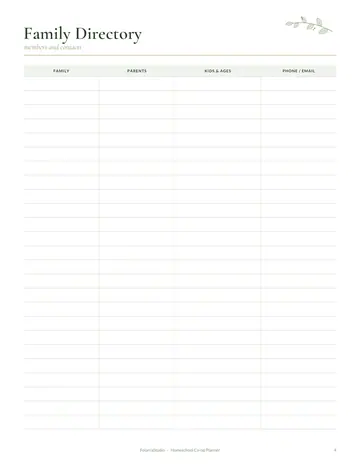
- Pod Families
- Pod Schedule
- Host Rota
- Lesson Plan
- Attendance
- Shared Costs
- Pod Agreements
- Notes
See every page
All 12 pages of the US Letter version, exactly as they print. Tap a page to see it larger.
- 1. Cover
- 2. This Planner Belongs To
- 3. Contents
- 4. Pod Families
- 5. Pod Schedule
- 6. Host Rota
- 7. Lesson Plan
- 8. Attendance
- 9. Shared Costs
- 10. Pod Agreements
- 11. Notes
- 12. Thank you page
Who this learning pod planner is for
This planner is for parents who share teaching with a few other families in a learning pod or micro school. It suits pods that rotate homes, pods that hire a tutor and small groups that meet a few days a week. It keeps families, schedules, money and agreements clear so everyone stays happy.
How to use your learning pod planner
List every family and child on the pod families page. Set the weekly schedule and fill in the host rota so each home knows when it is their turn. Plan lessons on the lesson pages and take attendance each day. Record shared costs such as supplies or a tutor's fee. Agree on simple pod rules together and write them on the agreements page.
Formats included
A4 PDF
For printing in most of the world (210 × 297 mm).
US Letter PDF
For printing in the US and Canada (8.5 × 11 in).
Digital PDF
Hyperlinked tabs for tablets and PDF annotation apps.
Ready to start?
Free downloadLearning Pod Planner questions
How many families is it for?
It works for any small group, usually two to six families. Look for the "Pod Families" page in the 12-page learning pod planner. Print the A4 or US Letter PDF as often as you need, or write in the digital version on a tablet.
Can it track shared costs?
Yes. There is a page for shared costs and who has paid. Look for the "Shared Costs" page in the 12-page learning pod planner. Download it free, print only the pages you need and add more copies of any page later.
Is it only for homeschoolers?
No. It also suits after-school or enrichment pods. Other pages in the 12-page learning pod planner include "Pod Families", "Pod Schedule" and "Host Rota", so related notes stay together. Print the A4 or US Letter PDF as often as you need, or write in the digital version on a tablet.
Is the Learning Pod Planner really free?
Yes, the Learning Pod Planner is completely free for personal use. Download the 12-page PDF without an account or email address, print it at home as often as you like and share the page link with friends. FolarraStudio is free to use. In the future, a few clearly labeled ads may help keep it free.
What size is the Learning Pod Planner?
The Learning Pod Planner comes in A4 (210 x 297 mm) and US Letter (8.5 x 11 inches), plus a hyperlinked digital PDF for tablets. Choose the file that matches the paper in your printer and print at Actual size or 100%, so nothing is cut off. Both paper sizes have the same 12 pages.