What's inside the kids robot journal
- Robot Design
- Parts List
- Code Steps
- Build Log
- Robot Ideas
- Notes
See every page
All 10 pages of the US Letter version, exactly as they print. Tap a page to see it larger.
- 1. Cover
- 2. This Journal Belongs To
- 3. Contents
- 4. Robot Design
- 5. Parts List
- 6. Code Steps
- 7. Build Log
- 8. Robot Ideas
- 9. Notes
- 10. Thank you page
Who this kids robot journal is for
This journal is for young engineers who dream of building robots, whether from cardboard and recycled materials or with robot kits and simple coding. It suits children aged about seven to fourteen, STEM clubs, makerspaces and homeschool engineering projects. Designing a robot teaches problem solving, planning and persistence, because real engineers sketch, build, test and improve over and over, and every attempt teaches something new.
How to use your kids robot journal
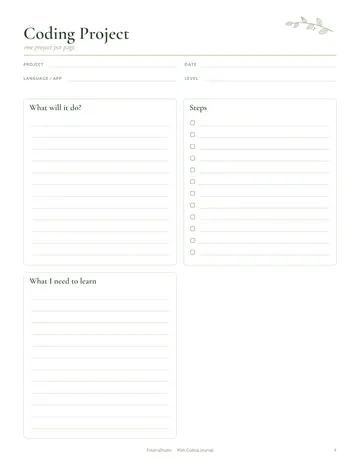
Sketch your robot on the design page, labeling arms, sensors, wheels and what it can do. List the materials or kit pieces you need on the parts page. Plan simple instructions or code on the code page, even if it is just a sequence of steps. Record each build session and test on the build page, noting what worked and what to fix. Collect future robot ideas, from helper bots to dancing robots, on the ideas page.
Formats included
A4 PDF
For printing in most of the world (210 × 297 mm).
US Letter PDF
For printing in the US and Canada (8.5 × 11 in).
Digital PDF
Hyperlinked tabs for tablets and PDF annotation apps.
Ready to start?
Free downloadKids Robot Journal questions
Does it work with robot kits?
Yes. It works with kits or homemade robots. Other pages in the 10-page kids robot journal include "Robot Design", "Parts List" and "Code Steps", so related notes stay together. Download it free, print only the pages you need and add more copies of any page later.
Is there a coding page?
Yes. Other pages in the 10-page kids robot journal include "Robot Design", "Parts List" and "Code Steps", so related notes stay together. Download it free, print only the pages you need and add more copies of any page later. Print the A4 or US Letter PDF as often as you need, or write in the digital version on a tablet.
What age is it for?
About seven to fourteen. Other pages in the 10-page kids robot journal include "Robot Design", "Parts List" and "Code Steps", so related notes stay together. Print the A4 or US Letter PDF as often as you need, or write in the digital version on a tablet.
Is the Kids Robot Journal really free?
Yes, the Kids Robot Journal is completely free for personal use. Download the 10-page PDF without an account or email address, print it at home as often as you like and share the page link with friends. FolarraStudio is free to use. In the future, a few clearly labeled ads may help keep it free.
What size is the Kids Robot Journal?
The Kids Robot Journal comes in A4 (210 x 297 mm) and US Letter (8.5 x 11 inches), plus a hyperlinked digital PDF for tablets. Choose the file that matches the paper in your printer and print at Actual size or 100%, so nothing is cut off. Both paper sizes have the same 10 pages.